
More efficiency
Data is born in SyteLine and returns to SyteLine: automatic queued import removes double entry and the manual reconciliation across emails, spreadsheets and attachments.
Supplier Collaboration for Infor SyteLine
Purchase orders, shipment confirmations, requests for quotation, goods receipts, chat and documents: everything in a single web portal, automatically synchronized with Infor SyteLine through ION and Data Lake.
Why the Vendor Portal
The portal extends your Infor SyteLine processes outward: fewer manual tasks, cleaner data and a supplier relationship governed end to end.
Data is born in SyteLine and returns to SyteLine: automatic queued import removes double entry and the manual reconciliation across emails, spreadsheets and attachments.
Supplier changes go through the buyer validation workflow before they become operational, and every ERP change is tracked field by field: nothing changes without someone knowing.
Real-time notifications, change history, attachments and chat attached to the record: the Smart Panel keeps the whole context within reach, without switching screens.
A single self-service workspace for master data, RFQs, purchase orders, shipments and documents. Suppliers work on their own, with the status of every process always visible.
Plug-and-play SaaS: the provisioning wizard sets up ION connection points, data flows, IDM document types and approval workflows. The tenant is live in a day, not in weeks.
Per-supplier KPI dashboards — on-time delivery, OTIF, backlog and lead-time drift — to measure your service level and act where it matters.
Every area of the portal is fed in real time by ERP data and returns the supplier’s actions to the ERP, fully tracked.
POs, lines, blanket orders and vouchers always up to date. Suppliers confirm shipments and accept ERP changes right from the order detail.
Conversations tied to a specific order or supplier, with attachments archived in Infor IDM and a web widget you can embed on external sites.
Mandatory documents verified at login, inbound content synchronization and XQuery links you can configure without writing code.
Every change coming from the ERP is tracked field by field: the supplier reviews, accepts or rejects, and the outcome flows back into the ION workflow.
GRNs, receipt lines and PO receiving lines available to the supplier, with notes and documents linked to every record.
RFQs generated in SyteLine land on the portal: the supplier fills in the response online, line by line, with prices and terms flowing back into the ERP.
One single box to find orders, suppliers, RFQs, GRNs and notes. Results grouped by type, with templates you can customize per company.
A per-supplier dashboard with on-time delivery, OTIF, backlog and lead time drift: the service level measured on the same data as the ERP.
A secure link by email opens the order page directly, no password required: the supplier validates, accepts or rejects changes in one click.
Order collaboration
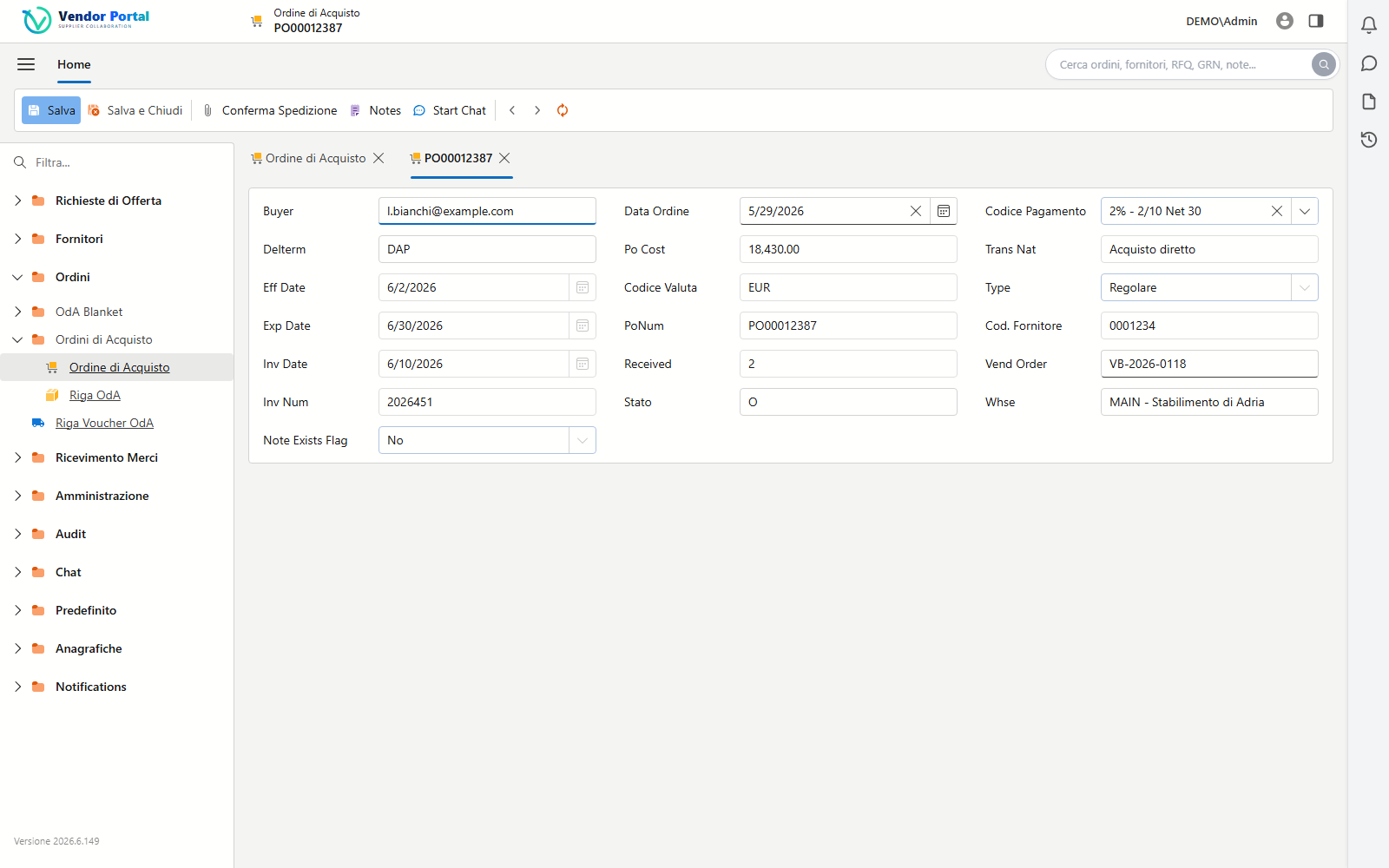
Suppliers work on a complete order page: they confirm shipments with attached documents, open a dedicated chat, accept the changes coming from the ERP. Every action is a tracked workflow flowing back to SyteLine through ION — no emails, no phone calls.
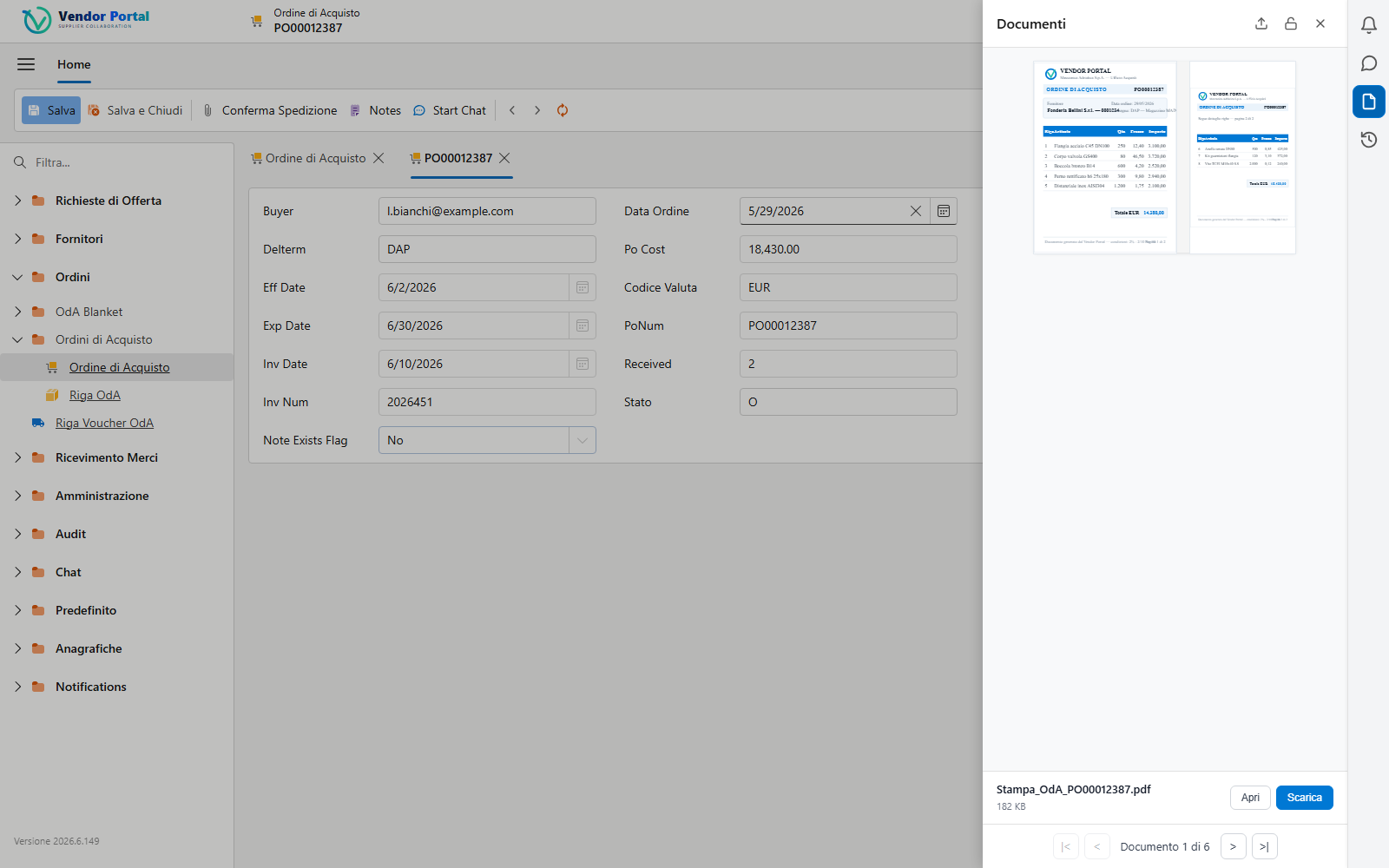
On every page of the portal, a slide-in side panel supports the user’s work without ever leaving the context of the record.
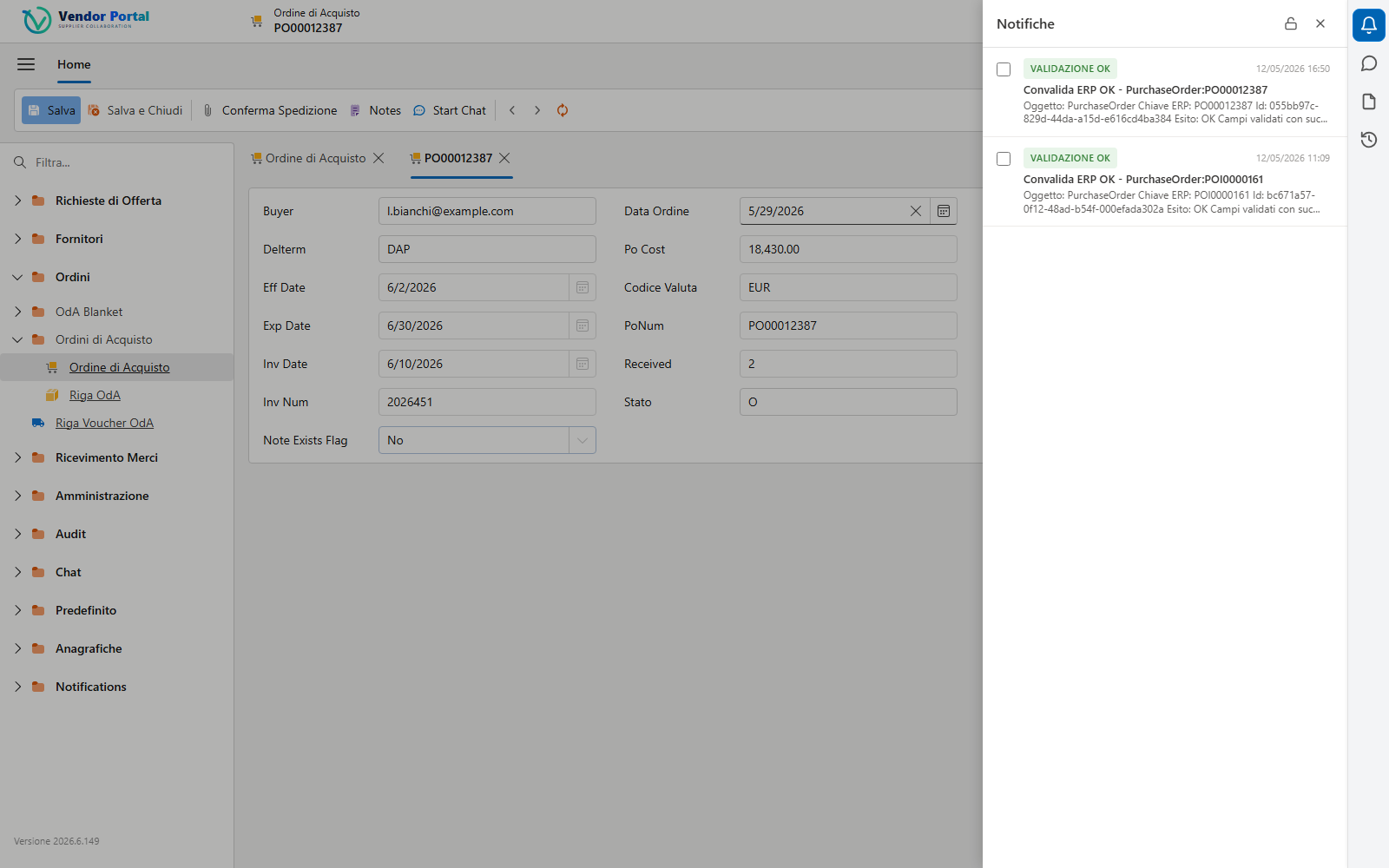
ERP validation outcomes, workflow alerts and updates arrive in real time in the Notifications widget, with a direct link to the affected record.
The Chat widget opens the conversation of the record you are working on: no screen switching, the history stays attached to the order.
The record’s IDM attachments and documents with preview, drag & drop upload and instant download, right from the side panel.
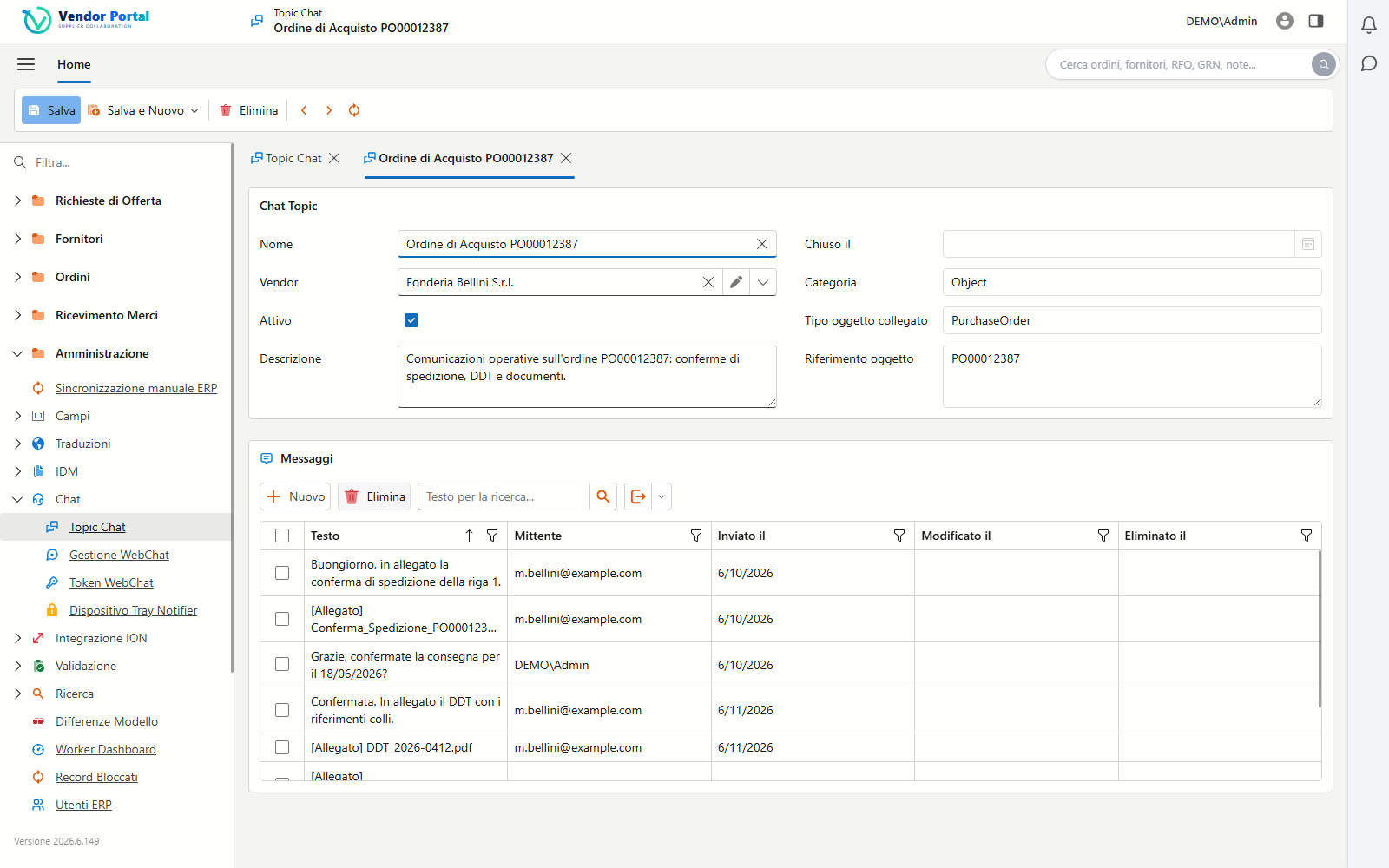
Built-in WebChat
Every chat starts from an order, an RFQ or a supplier and stays linked to that object forever. Attachments — PDFs, images, confirmations — are automatically archived in Infor IDM: no more files scattered across mailboxes.
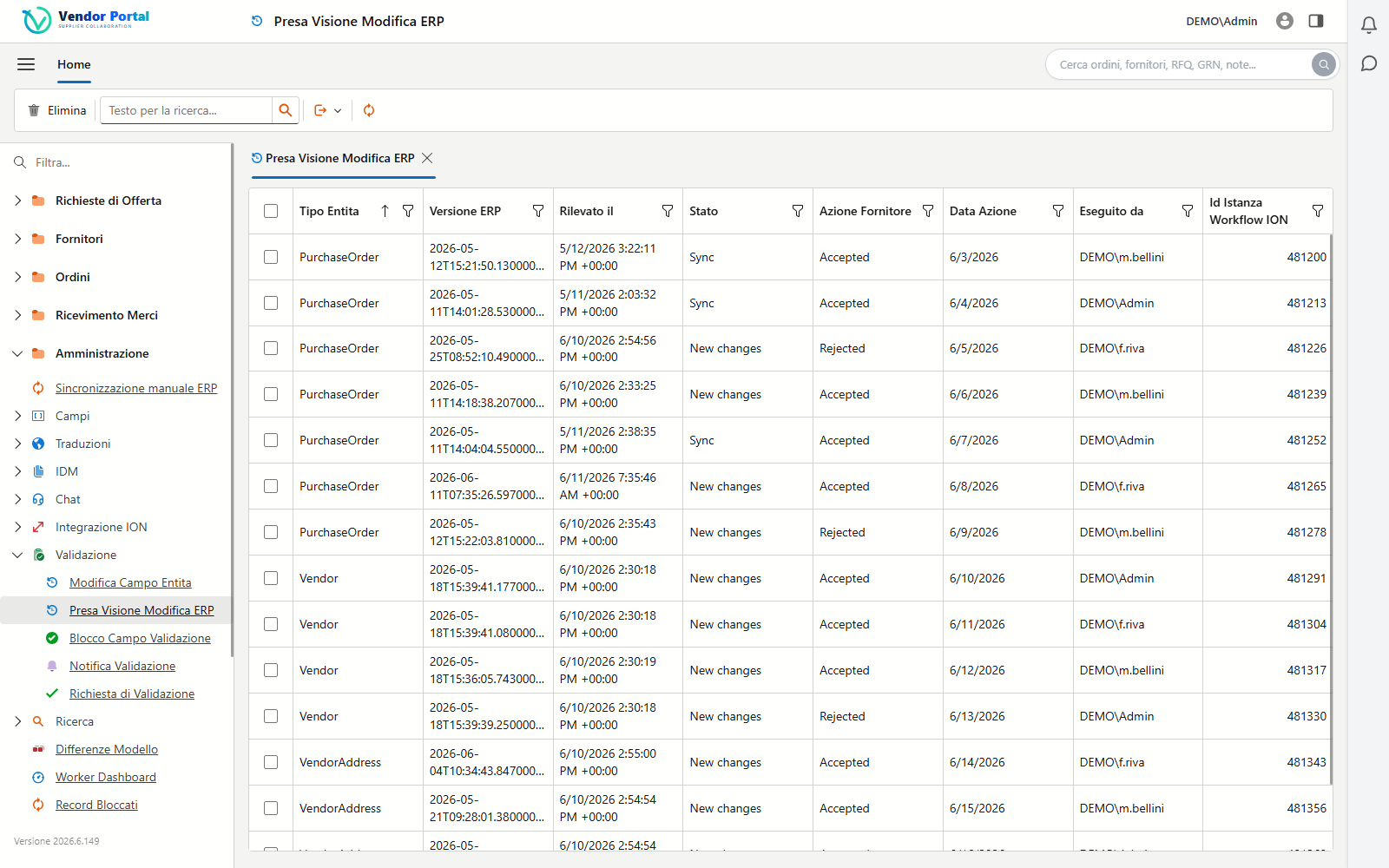
ERP change tracking
The import engine compares every incoming ERP record field by field. Changes on monitored fields generate an acknowledgement for the supplier, with a full history of who accepted what, and when.
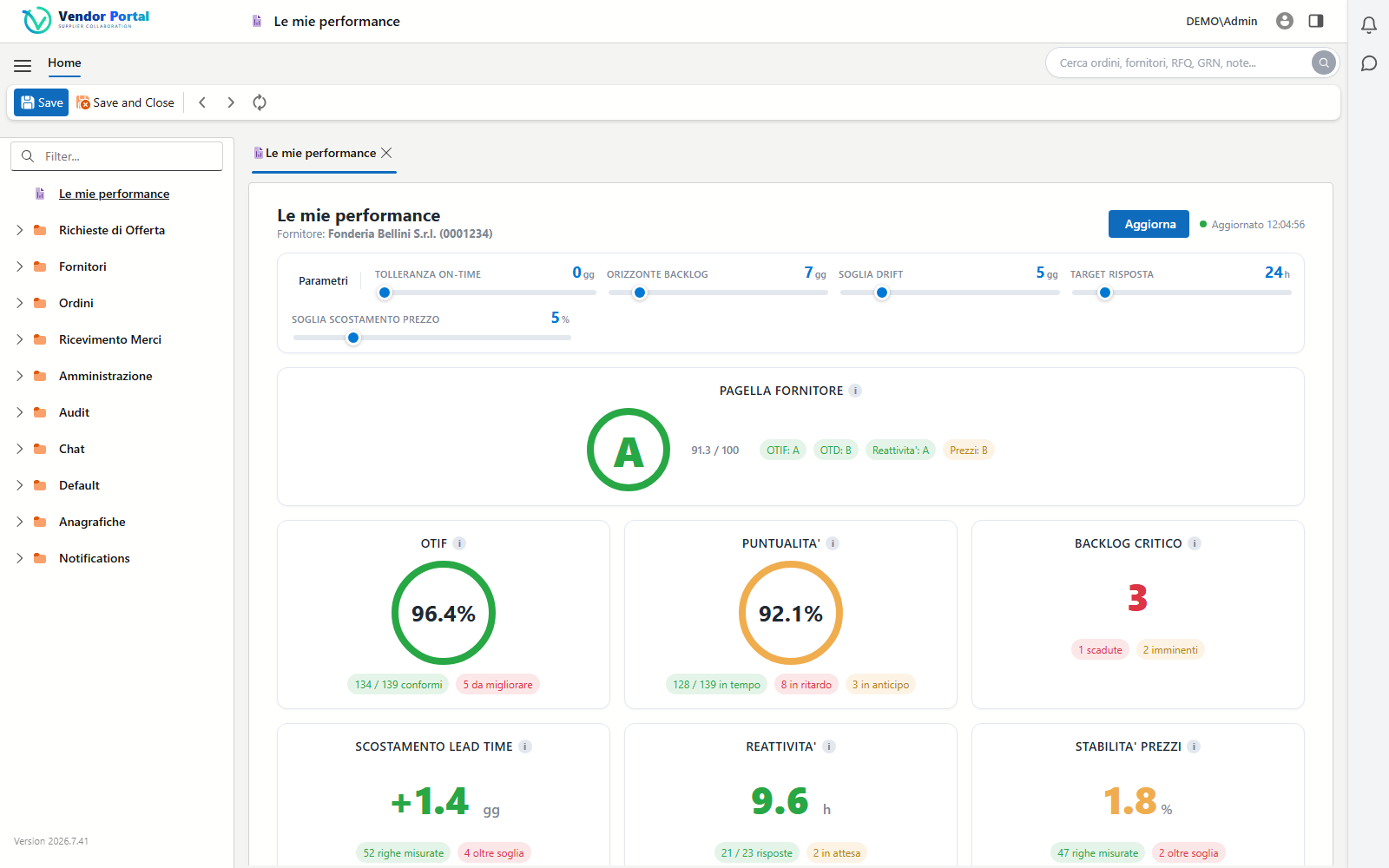
Collaboration KPIs
Every supplier gets their own “My Performance” dashboard: a summary grade from A to F and KPIs computed in real time on the very same data coming from SyteLine. A click on any indicator opens the order lines included in the calculation, so you immediately see where to act.
Magic Link
When an ERP change affects an order, the supplier receives an email with a secure link that opens the order page in the portal directly: no password to remember, no sign-up. From there they validate their own changes, restore values, accept or reject the ERP variations, with the same guarantees as a regular login.
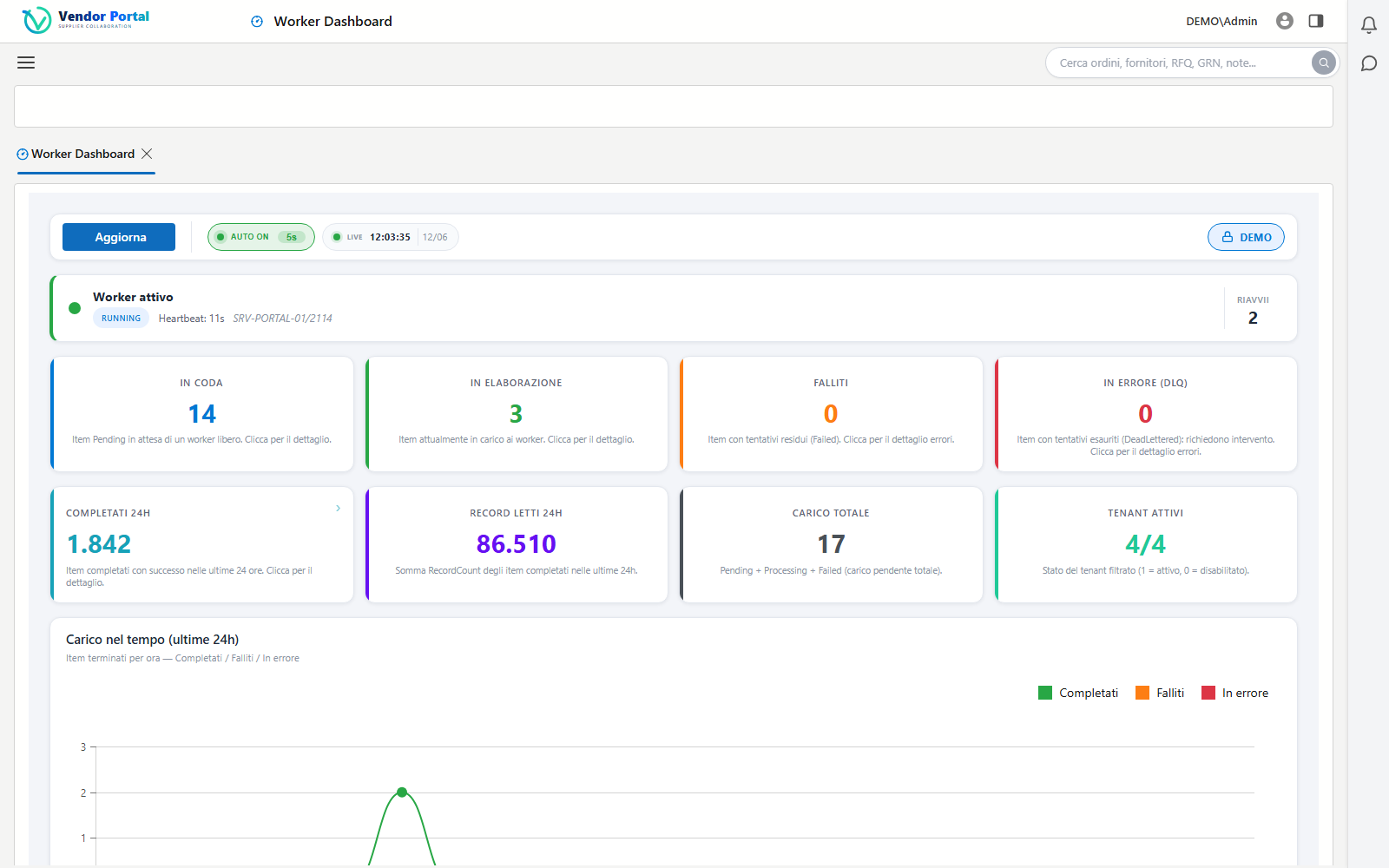
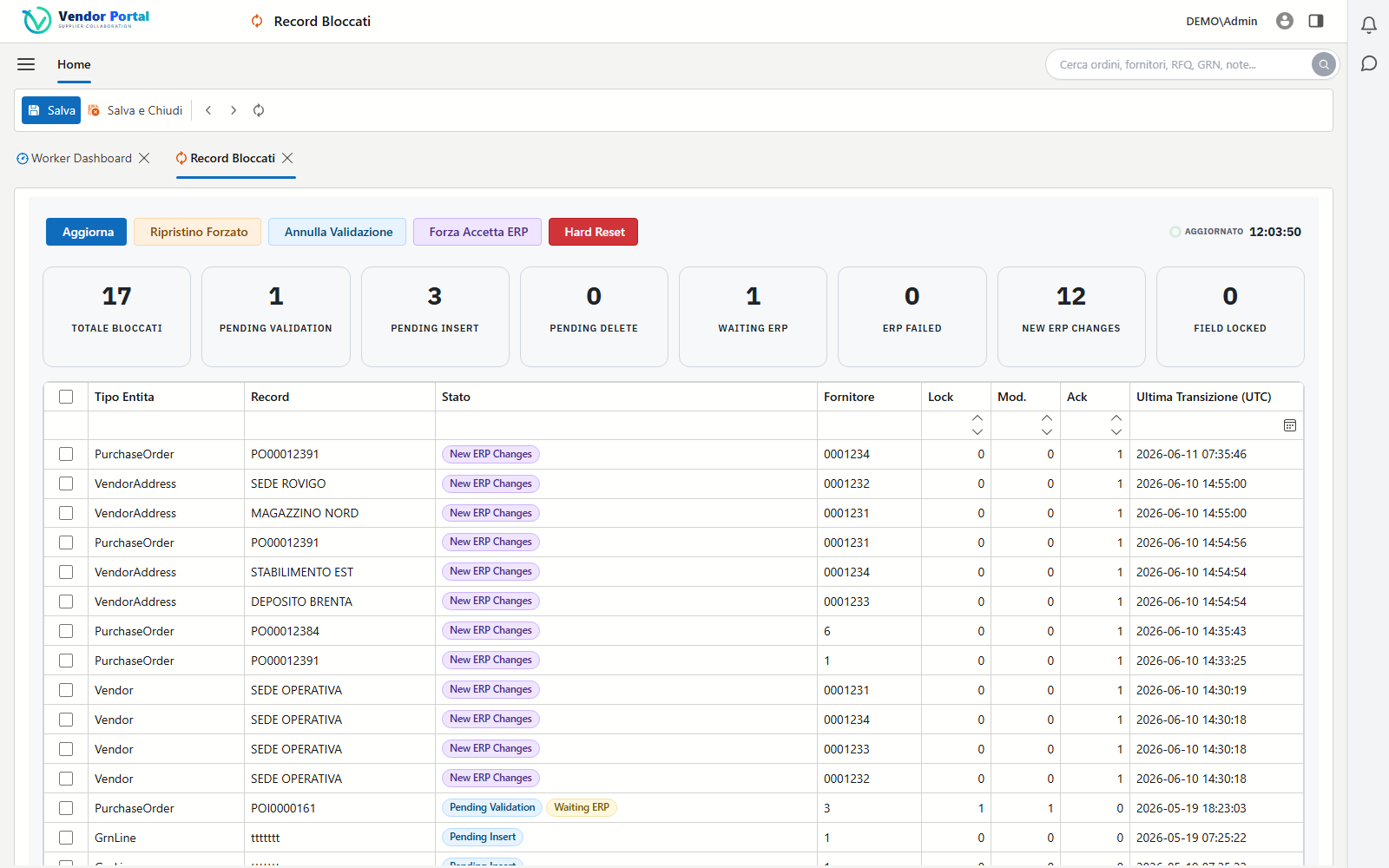
Two dedicated dashboards keep the data flow under control: the status of the import workers and the records that need attention.
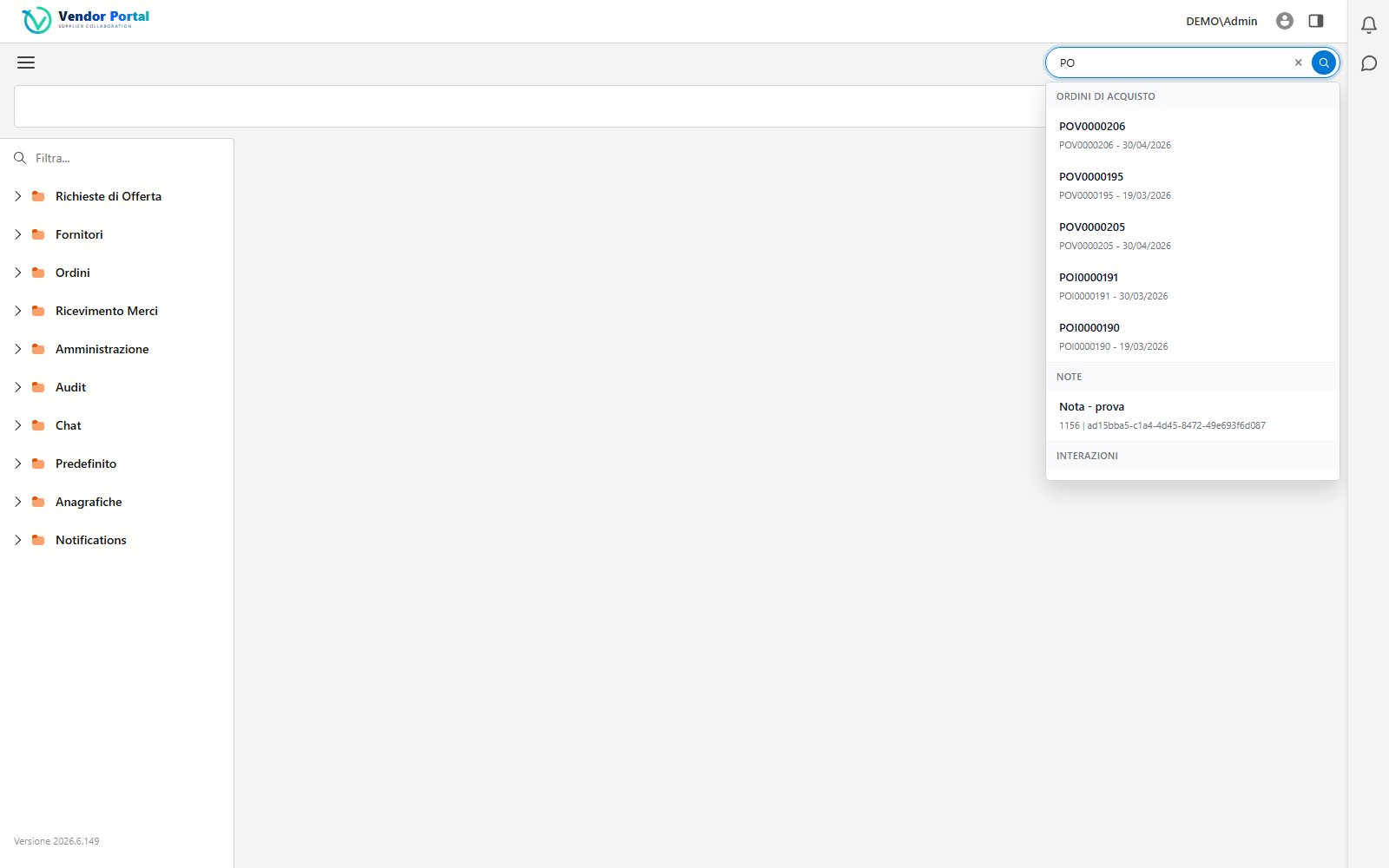
Global search
Orders, suppliers, requests for quotation, receipts and notes: the global search queries every entity in the portal and presents results grouped by type. Title and detail formats are customizable per company with simple templates.
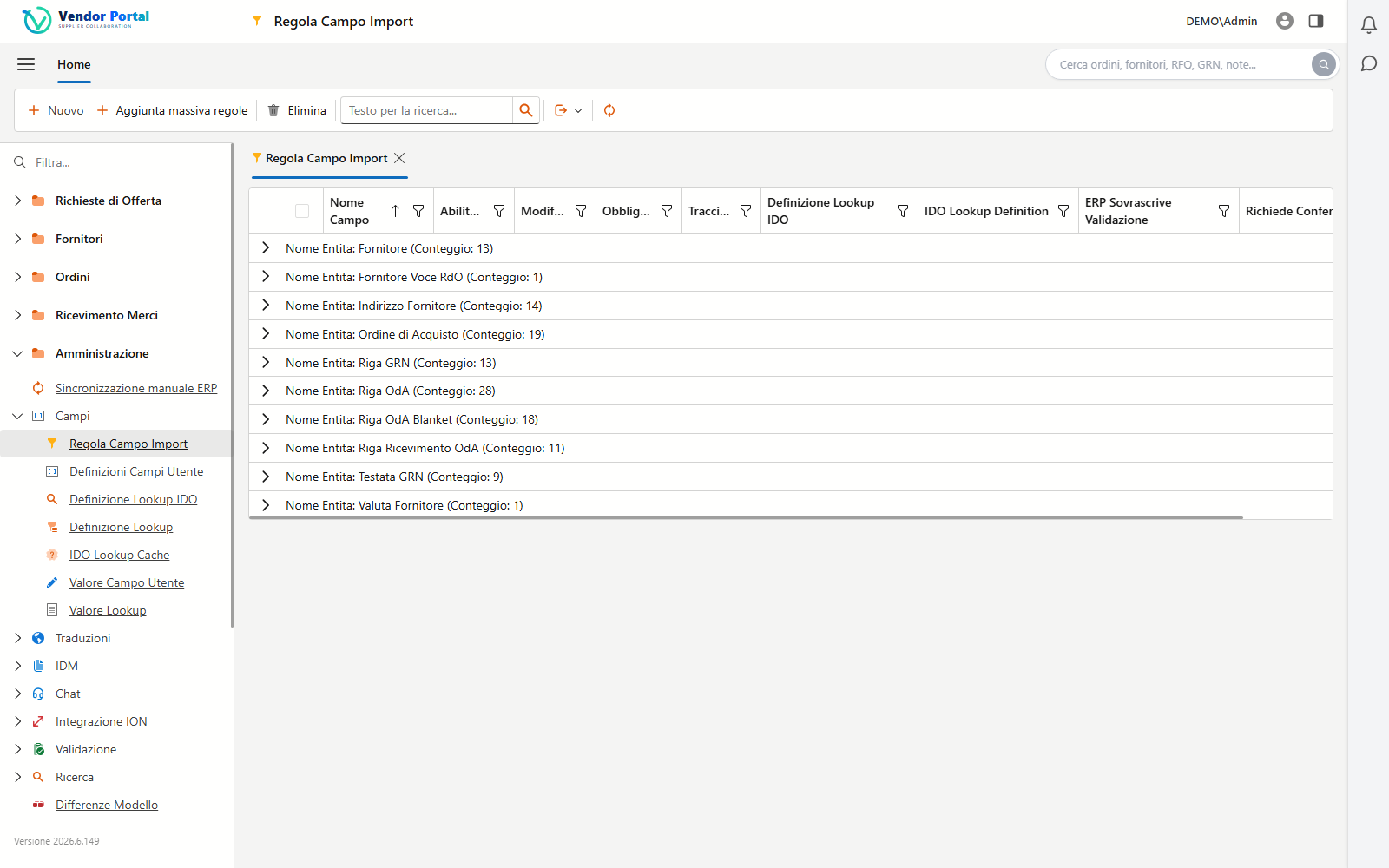
Per-company governance
Which fields to import from the ERP, which ones to monitor, which labels to show and in which language: everything is configured from the UI, with no technical intervention. Configurations can be exported and imported across environments with an encrypted file.
The portal is not a copy of your data: it is an extension of the ERP, fed by the official Infor channels. On SyteLine? See the supplier portal for Infor SyteLine.
 Infor SyteLine is the ERP by Infor. Vendor Portal extends it to your
suppliers through the official Infor OS channels.
Infor SyteLine is the ERP by Infor. Vendor Portal extends it to your
suppliers through the official Infor OS channels.
Delta import record by record: inserts, updates and deletions detected automatically, with an asynchronous queue and a dedicated worker.
OAuth2 authentication, IMS messaging and approval workflows created and activated directly from the provisioning wizard.
XQuery search, document upload and download, mandatory document requirements verified at every supplier login.
Direct lookups and updates on SyteLine IDOs where real-time data is needed, with configurable cache and thresholds.
Behind the interface there is engineering built for fast rollouts and production-grade volumes.
The provisioning wizard creates ION connection points, data flows, replication categories and triggers, IDM document types and the approval workflows for you: the tenant is live in a day, not in weeks.
Asynchronous queued import with a dedicated worker, configurable thresholds and retries: batches of thousands of records in a single call, handled without losing a single row.
Dry-run mode simulates the import to verify rules and mappings without writing anything to the database: ideal during rollout.
An audit timeline for every piece of data: imports, changes, validations and user actions in a single browsable history.
Dates and times shown in each company’s time zone, interface in the user’s language, customizable field and action labels.
Stateless and multi-instance, automatic connection retries, optional OpenTelemetry: it runs on-premise or in the cloud with no changes.
A multi-tenant architecture built for enterprise and cloud environments.
Each tenant has its own dedicated database: data isolation is physical, automatic and cannot be disabled.
Automatic filtering by vendor code on orders, RFQs and receipts. Vendor users access exclusively their own records.
JWT authentication for the APIs and cookies for the portal, administrator and vendor roles, automatic lockout of disabled tenants.
Every relevant operation is recorded: imports, changes, acknowledgements, administrative actions and recovery.
Frequently asked questions
Everything you need to understand how the portal extends Infor SyteLine out to your suppliers.
Yes. It is a plug-and-play SaaS service that connects to Infor SyteLine through the official Infor OS channels: delta import from the Data Lake, messaging and workflows on ION API, documents on IDM. No custom development to get started.
Yes, on the fields authorized by the company. They can update their master data and attach the required documents; each supplier sees and touches their own data only.
Where the company requires it, no: the change enters a validation workflow and becomes operational in the portal and the ERP only after the buyer’s approval, with the outcome notified to the supplier.
No. With the magic link they receive a secure link by email that opens the order page directly, no credentials required: from there they validate, accept or reject the changes. The link is scoped to that single order, expires automatically and becomes single-use on final actions.
Yes. Requests for quotation generated in SyteLine are published on the portal, and the supplier fills in the response online, line by line, keeping the data aligned with the ERP.
Yes: purchase orders, lines, blanket orders, vouchers and related receipts, with the IDM attachments and the changes coming from the ERP highlighted — all reachable from the record’s Smart Panel too.
Yes. The supplier prepares the GRN in guided mode, manages the lines and attaches the delivery note before goods are received, which flows back into SyteLine as a receiving.
Yes, on two levels: each company has a dedicated database and, within it, every vendor user is automatically filtered on their own vendor code. The isolation is physical and cannot be disabled.
Each user sees the portal in their own language, Italian or English, with dates and times in the company’s time zone. Field and action labels are customizable per tenant.
Yes. A per-supplier KPI dashboard — on-time delivery, OTIF, backlog and lead time — measures the service level, and a built-in user manual supports day-to-day operations.
We can set up a guided demo on your SyteLine environment, with your orders and your suppliers.
Request a demo